
Promotions
On this page:
Add a promotion
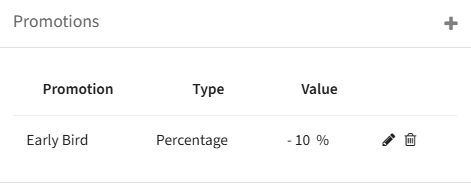
Promotions are a separate block on the event dashboard and are very flexible. To create a new promo code, click on the plus symbol in the upper-left corner of the block.
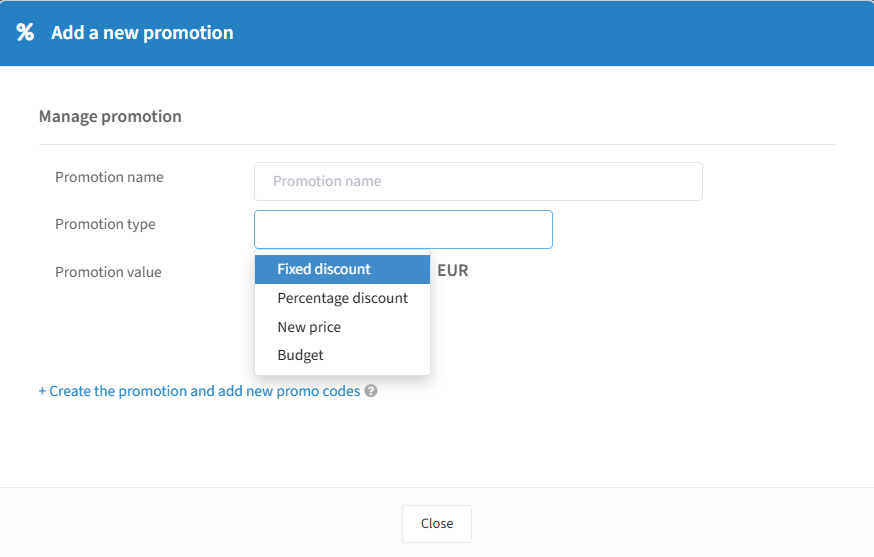
You can then give the code an internal name, and set how it should modify the original price.
Discount types
Fixed discount: deducts a fixed amount of money from the original price.
Percentage discount: gives a percentage discount, e.g. 10% off for the first 100 guests.
New price: sets a new price regardless of the original price.
Budget: gives a voucher worth a certain amount in euros, which can be used across multiple tickets until the balance reaches 0.
At the end, select the desired value based on your discount type — this can be a fixed sum or a percentage.
Create promo codes
After clicking "Create," you move to the second step, where you set up your discount codes. Here you can determine:
Number: Specifies the total count of unique promo codes to be generated.
Promo code name: This field allows you to enter a custom promo code value. Alternatively, if you prefer not to create a custom promo code, ignore this field and our system can automatically generate one for you. For generating multiple promo codes at once (Number>1), the system automatically generates unique promo codes.
Limit: Indicates the maximum usage count for each promo code by attendees.
Valid from: Specifies the start date when the promo code becomes active.
Valid to: Specifies the end date when the promo code expires.
An example of five automatically generated 100% discount codes, each of which can only be redeemed once.