
Edit my personal profile
You can find the settings on the top bar by clicking on Settings => Settings.
By clicking on "My profile", you will see the following:
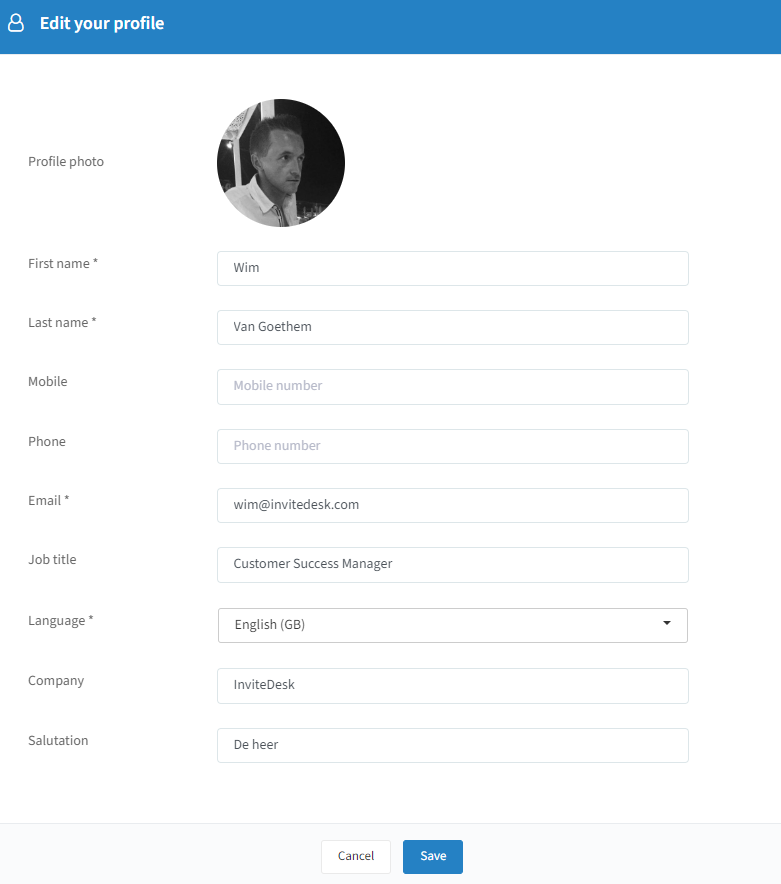
Profile photo: add a profile photo.
First name / Last name: change your name.
Mobile / Phone: change your phone numbers.
Email: change your mail address.
Job title: change your job title.
Language: change the language in which InviteDesk will be displayed for your profile.
Company: change your company name.
Salutation: change your salutation.
Click on "Save" to keep any changes you have made.