
InviteDesk Help Center
Welcome to the InviteDesk Help Center — your guide to the B2B event platform that covers the whole event lifecycle, from inviting guests and handling registrations to on-site check-in and post-event reporting.
New to InviteDesk? Start with Getting Started for first steps by role, then head to Events & Event Dashboard to build and run your first event.
Prefer to learn live? Join one of our webinars and ask your questions in real time, check the InviteDesk Academy calendar and sign up!
How to find what you need
Three ways to search:
Search the whole help center — use the search box at the top-right of this site to look across every page at once. This is the fastest way to find the right topic.
Jump within a page — every category page opens with an "On this page" list; click any heading to jump straight to that section.
Find a word on a long page — press Ctrl + F (⌘ + F on Mac) to search the page you're currently on. Handy because each category page gathers several related topics together.
Browse the help center
Sections follow the same order as the InviteDesk menu bar — each screenshot shows where that section lives in the platform.
Main menu bar

Events & Event Dashboard — create, clone and run events: the dashboard, event website, communication, tickets, surveys, and the invitation and attendee lists.
Frontdesk — check guests in and out on desktop or mobile, including walk-ins.
Address Book — manage all your contacts with filters, imports, exports and lists.
Public Pages — publish open or code-protected event overview pages.
Mailing Campaigns — send and track standalone email campaigns.
Paydesk — collect payments and manage invoices for paid events.
Reports — long-term contact and invitation reporting, plus the File Center.
Settings menu
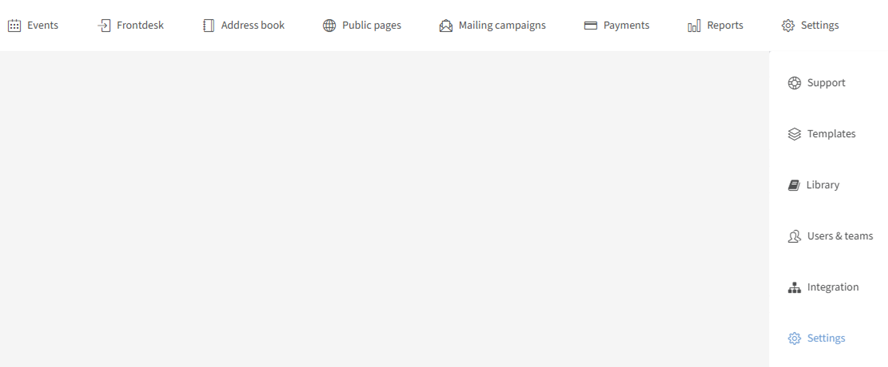
Templates — design templates, footers and text templates for your branding.
Library — reusable questions, questionnaires and printable documents (badges, certificates, signatures).
Users & Teams — add users, set user-rights profiles and organise teams.
Integrations — connect your CRM, SSO, payment and video tools.
Settings — personal profile and company settings: languages, sender, domains, branding and more.
Apps (grid icon)
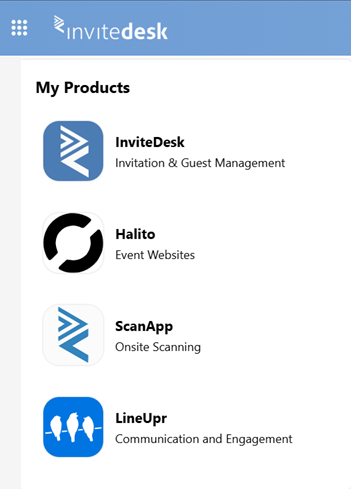
Scanapp — advanced ticket scanning and access rights on-site.
LineUpr — the on-site event app, synced with InviteDesk.
Guides & more
Getting Started — first steps for Administrators, Event Managers and Ticket holders.
Paid features — Premium and Platinum add-ons.
Tips & Videos — how-tos, FAQs and video tutorials.
Need help? Contact support at support@invitedesk.com or use the "Help" button inside InviteDesk. Support is available 9am–5pm Brussels time.